Fixing Shopify product titles and headings at scale
437 of Audio Trader's product titles were cut off mid-word in Google, and 11 headings sat above every product's name. How every page was fixed at once.
437 in-stock products whose page title was cut off mid-word, September 2026
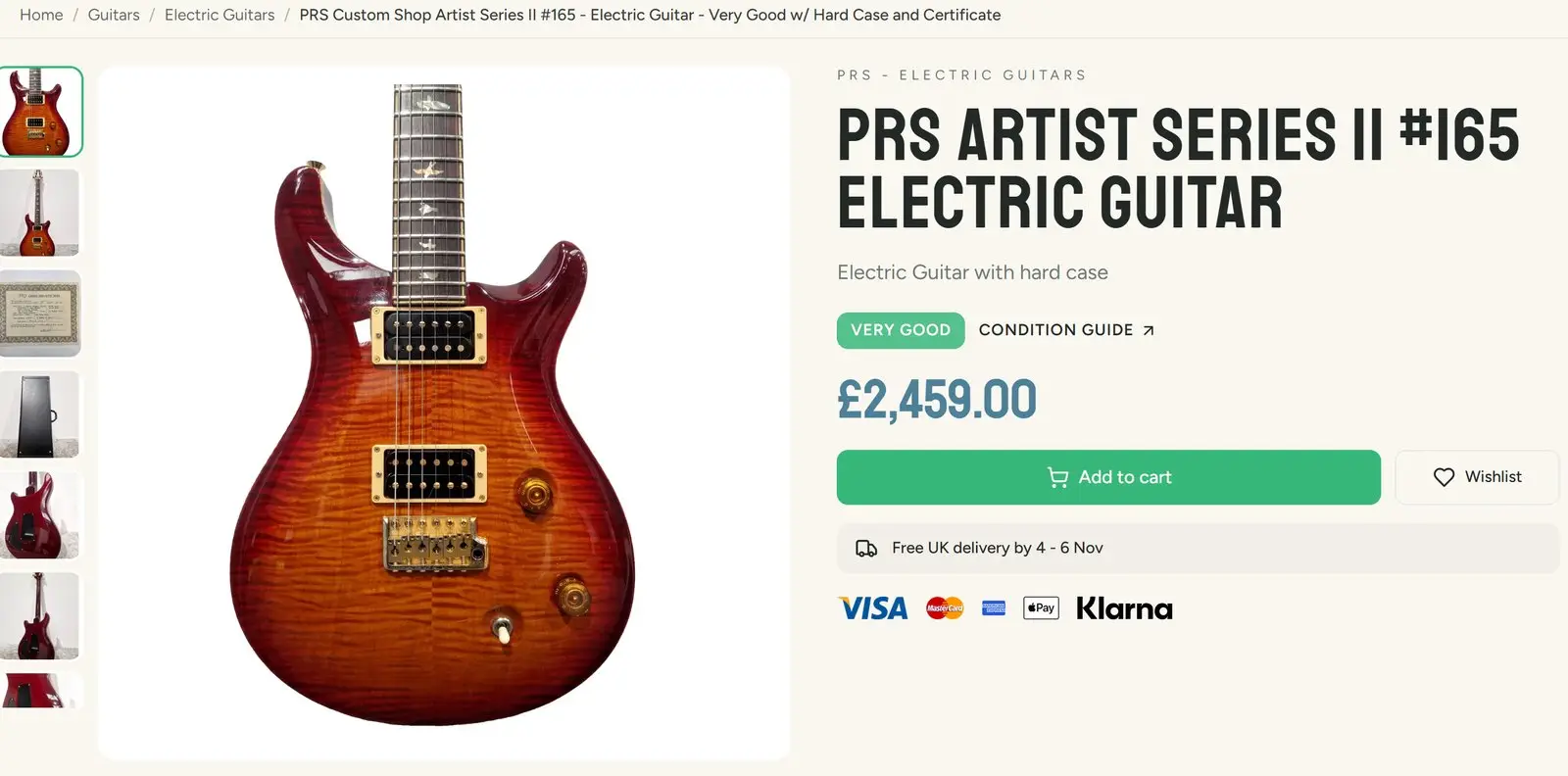
An SEO review of one Audio Trader product page, a PRS Artist Series II guitar, found four faults. Every one of them was on every product page in the shop.
That is the useful thing about product page SEO on Shopify. A product page is one template. Fix the template and you fix thousands of pages at once. Leave it and the same mistake repeats on every product you list.
What was wrong
The page title was cut off mid-word. The title is the blue link Google shows. Nobody had set an SEO title on any product, so Shopify used the product name instead and cut it at 70 characters, wherever that fell. 437 products in stock had titles that stopped halfway through a word.
The meta description never named the product. Nothing in the search result told a buyer which guitar this was.
Eleven headings came before the product’s name. The menu at the top of the site used heading tags for its section titles. To a search engine reading the page in order, eleven menu headings came first and the guitar’s own name came twelfth.
Descriptions repeated the name as another main heading. 708 descriptions opened by repeating the product name as a second H1. Older ones used H2 and H3 instead, some after an empty paragraph that SEO tools show as a stray symbol.
What changed
- The theme writes the title. Every product page title is now the short name, the item type, the word “Used” and the shop’s name. Checked across ten products before release, the titles ran from 33 to 65 characters, with none cut mid-word.
- The meta description names the product and its condition grade.
- One H1, first. The menu, footer and other titles that only look like headings became plain text. Their styling was restated, so they look exactly as before. That was checked by comparing the computed styles against the live site at phone, tablet and desktop widths.
- A safety net for hand-written text. Any heading inside a description is demoted at the moment the page is drawn, so a description edited by hand cannot add a second H1.
- 1,408 stored descriptions were rewritten. Every description of a product in stock was rewritten into the same shape: plain sections with short headings (“Condition details”, “What’s included”, “About the item”), no heading that only repeats the name, and an opening line that says what the item is.
- New listings follow the same shape. The tool that writes new listings was changed on the same day, so the problem does not come back with the next delivery.
Rewriting 1,408 descriptions safely
A bulk rewrite of live product text can go wrong in ways that are hard to undo. This one ran in steps:
- A snapshot of every description before anything was written.
- A dry run that reported what would change, without changing it.
- A canary: ten products written, then checked on the live site.
- The full run, then a check that every write had landed.
- A rollback that could restore every description from the snapshot.
The trap: it is not only the headings
The rewrite showed something no SEO tool reports. The product page spaces out the description using a style that only reaches the top level of its text. Descriptions where the text sat inside extra containers, or where paragraphs were split with line breaks instead of real paragraphs, rendered cramped, with no space between sections. The headings were all correct, and the page still looked wrong.
So after any bulk change to descriptions, look at a rendered page beside a good one. Checking the headings is not enough.
One fault was left alone on purpose: Shopify’s own cookie banner adds a heading above the H1, and the theme cannot change it.
What it changed
The work went live on 16 and 17 September 2026. Google takes time to recrawl a whole catalogue, and I have not yet measured the effect on clicks from search, so I will not claim one. I will add the figures from Search Console when there is a fair period to compare.
Checking your own shop
- Search Google for
site:yourshop.comand a long product name. If the blue title stops mid-word, your titles are being cut, and probably on every product. - Install a free heading outline extension for your browser and open any product page. The first heading should be the product’s name. If your menu, announcement bar or footer come first, every product page has the same problem.
- Look at the HTML of a few descriptions. If the product name appears there as a heading, you have a second H1 on every page that has it.
If this sounds like your shop, a twenty minute call will tell us both whether it is worth fixing.
More like this in the articles, or see what technical seo involves.