Why your Shopify product gallery feels slow
Paging through Audio Trader's product photos felt sluggish. The causes were browser traps, from Safari blanking images to photos drawn at a quarter size.
62px how wide a guitar's photo was drawn in the full-screen viewer, 13% of the screen, August 2026
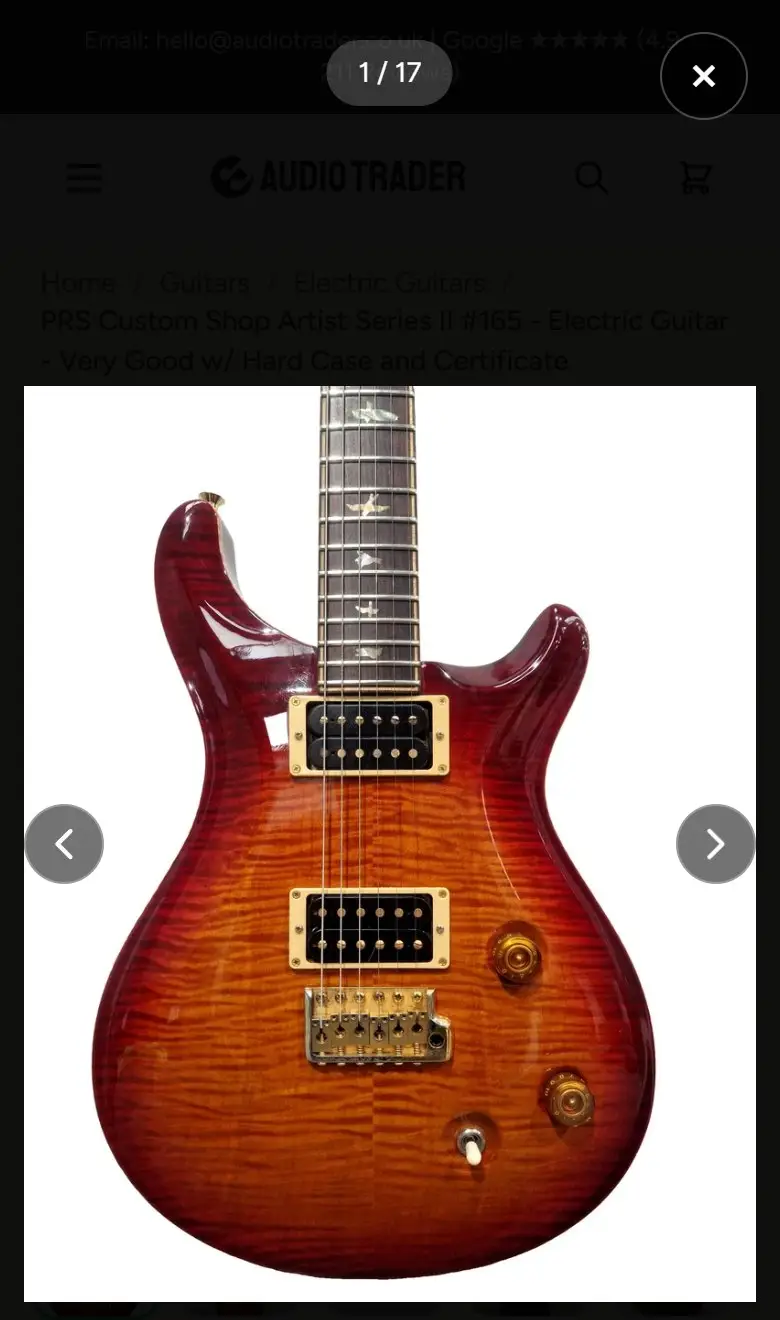
Feedback came in that paging through Audio Trader’s product photos felt sluggish. On a shop selling used guitars at up to a few thousand pounds, the photos are the product. Nobody buys a guitar they cannot see properly.
The gallery’s code looked reasonable. The faults were in how browsers actually behave, and most of them only showed up on a phone.
Trap one: Safari blanks the picture while it loads the next
The viewer showed each photo by changing the address of one image on screen. In Chrome that is seamless. In Safari, the image goes blank for a moment every time its address changes, even when the next photo is already downloaded. Swiping through a gallery read as flashing.
You cannot see this on a Windows desktop. Note that Chrome on an iPhone uses Safari’s engine underneath, so it flashes too.
The fix is structural. There are now two images stacked on top of each other. The next photo loads into the hidden one, and only when it is fully ready do the two swap places. The image on screen is never changed while you are looking at it.
Trap two: a photo drawn at a quarter of its size
This produced the strangest result. A Fender guitar’s photo appeared in the full-screen viewer 62 pixels wide, 13% of the screen.
The page told the browser that each photo came in sizes from 400 to 1,600 pixels wide. For most products that was true. For older listings whose main photo was never rebuilt, the real file was far smaller, in one case 414 pixels wide. The browser was told it had a 1,600 pixel image, received a 414 pixel one, worked out that it must be a very high resolution image, and drew it at a quarter of its size.
The viewer now asks for one specific file per photo. A single file cannot misdescribe its own width.
Trap three: asking for a size that does not exist
The viewer asked for every photo at 2,000 pixels wide. The original photographs are 1,638 pixels wide, so Shopify sent back 1,638 anyway.
| Asked for | Received | File size |
|---|---|---|
| 1,600 wide | 1,600 wide | 242KB |
| 2,000 wide | 1,638 wide | 258KB |
That is 38 pixels for 16KB more, and worse, a file nothing else on the page ever requested, so it was never already downloaded. On an 18-photo product, paging through the viewer pulled about 4.6MB, one photo at a time, each one a fresh download.
Trap four: loading everything at once makes it slower
17 of the 18 photos on that product were set to load only when needed, which is right for the page. It meant that skipping ahead in the viewer always landed on a photo that had not been downloaded.
The viewer now fetches ahead, but carefully. It waits until the photo you are looking at has finished, then quietly fetches three ahead in the direction you are swiping and one behind. If it fetched four photos at once the moment you opened it, they would compete with the one you actually want to see. On a phone with data saving switched on, or a 2G connection, it fetches nothing ahead at all.
Trap five: things that only go wrong on a touch screen
- A tap that does nothing. The gallery arrows only appeared when the pointer hovered over the photo. A phone has no hover, so the first tap was spent making the arrows appear rather than opening the viewer. They are now always visible where the browser reports no hover.
- A highlight that sticks. On a touch screen, the hover style stays on whatever you tapped last, so the selected thumbnail looked washed out until you tapped somewhere else.
- Thumbnails you could not reach. The strip of thumbnails was centred. Once there were more than fitted, centring pushed the first few off the left edge, where no amount of scrolling could reach them.
The problem that was not in the gallery
Between 26% and 35% of many product photos was plain white padding, added when a photo was padded out to the product card’s shape. A bigger viewer made that more obvious. No gallery code can fix padding baked into the file. It was fixed where it started, by rebuilding the photos from the originals, which is a story of its own: the self-hosted remove.bg alternative.
Testing it honestly
The first automated tests passed with the bugs still in them. A test that pretends hidden elements have a size, or that images finish loading instantly, cannot see a fault that lives in exactly those moments. Both tests only became trustworthy once I broke the code on purpose and watched them fail.
What it changed
I did not measure load times before and after, so I will not give you a percentage. What changed is visible: no flashing on an iPhone, no photo drawn at a quarter of its size, and no first tap that does nothing.
Checking your own shop
- Open a product with lots of photos on an iPhone and swipe quickly through the full-screen view. If the picture flashes white between photos, you have trap one.
- Open your oldest product in the full-screen view. If its photo sits small in the middle of a big empty frame, you may have trap two.
- On a phone, tap a product photo once. If nothing happens until you tap again, you have trap five.
If this sounds like your shop, a twenty minute call will tell us both whether it is worth fixing.
More like this in the articles, or see what shopify development involves.